3D Christmas Goose Laser Engrave File: Crafting Unique Holiday Decor
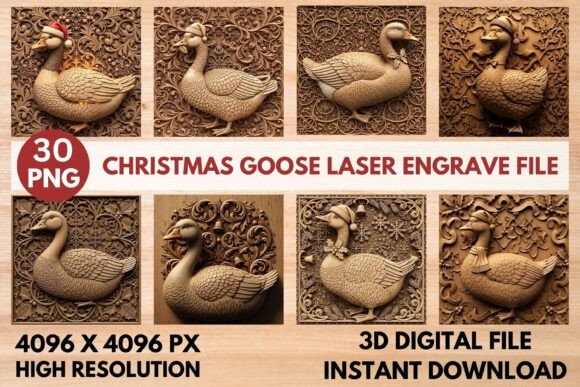
There is something undeniably charming about the sight of a goose wearing a Santa hat, nestled against an intricate wooden mandala background. It captures the whimsical spirit of the holidays while offering a rustic, handcrafted aesthetic that mass-produced plastic decorations simply cannot match. The 3D Christmas Goose Laser Engrave File brings this delightful imagery to life, transforming flat digital designs into deep, realistic wood-carving textures. This premium bundle is not just a collection of images; it is a toolkit for creators who want to produce standout signs, ornaments, and gifts that feel personal and professional.
Whether you are running a small business on Etsy, managing a marketing campaign for local artisans, or simply looking for a meaningful project to do in your home workshop, this resource offers versatility that goes beyond standard holiday themes. By combining high-resolution color mockups with precise grayscale depth maps, the file set ensures that whether you are using a Glowforge, xTool, LightBurn, or a full-scale CNC router, the final result will have that authentic, dimensional look you strive for.
Why This Bundle Stands Out for Modern Makers
The difference between a mediocre laser engraving and a masterpiece often lies in the quality of the source files. Many available resources provide only flat images or low-resolution vector paths that struggle to capture fine details when carved into thick materials like oak or maple. In contrast, this 3D Christmas Goose Laser Engrave File is engineered specifically for depth.
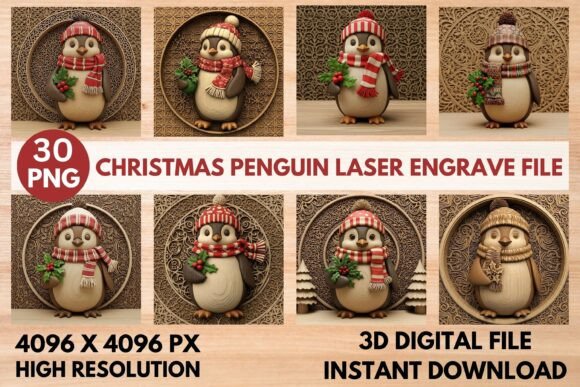
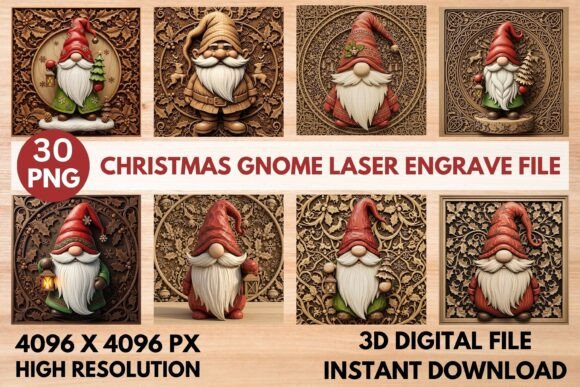
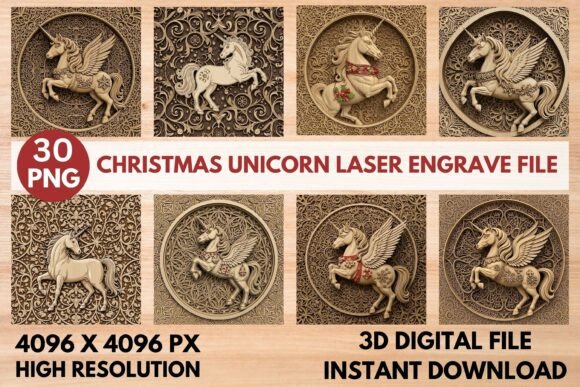
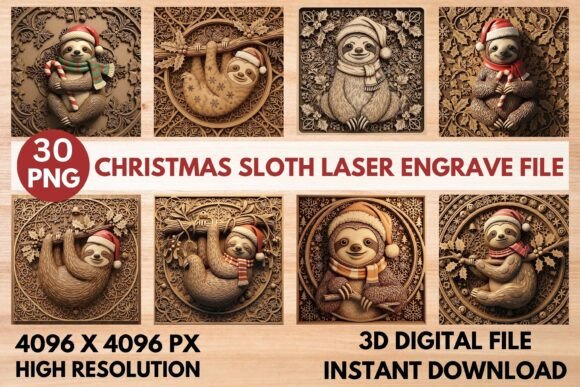
The bundle includes 30 high-resolution PNGs, split strategically into two functional categories. You get 15 unique, full-color goose designs perfect for creating attractive mockups, promotional images for social media, or even full-color prints if your machine supports it. More importantly, the set provides 15 corresponding grayscale relief maps. These depth maps are crucial because they tell your laser exactly how deep to cut at every single point, guiding the machine to achieve the detailed, dimensional 3D carved effect without manual intervention.
Every file is rendered at a massive 4096 x 4096 pixels. This resolution ensures exceptional detail and sharpness, meaning you can scale your projects up to large wall art pieces or down to tiny keychains without losing the texture of the feathers or the folds of the Santa hats. The non-transparent PNG format guarantees broad compatibility, making it easy to import these designs into all major laser software platforms without complex tracing or cleanup steps.
Real-World Applications for Creators and Entrepreneurs
Understanding where and when to use these files is key to maximizing their value. For entrepreneurs selling handmade goods, time is money, but quality drives sales. Imagine a small business owner preparing for the holiday rush. Instead of spending hours manually adjusting layer depths in software, they can upload the provided grayscale map directly into LightBurn or similar tools. The software reads the brightness of the image, converting white areas to shallow cuts and black areas to deep grooves. This automation allows them to produce a batch of 50 personalized "Merry Christmas" signs featuring festive geese in a fraction of the usual time.
The results speak for themselves. The detailed wood carving texture adds a rich, professional, and authentic handcrafted look to finished products. Customers are increasingly drawn to items that show evidence of human care and technical skill. A sign made with this file doesn't just look like a printed sticker on wood; it looks like it was chiseled by hand. This perceived value allows sellers to command higher prices and differentiate their brand in a crowded marketplace.
Personalizing Gifts and Home Decor
For hobbyists and families, the appeal lies in the ability to create one-of-a-kind gifts. Think about the joy of gifting a custom ornament to a neighbor or a framed piece of wall art for a hostess gift. The 3D Christmas Goose Laser Engrave File makes this accessible even to those with limited experience. Because the files are optimized for popular machines like xTool and Glowforge, beginners can follow simple tutorials to carve a goose design onto a slate coaster or a piece of acrylic, creating a keepsake that feels bespoke.
The versatility extends to various materials. While wood is the classic choice, these files work beautifully on slate, leather, and acrylic. A leather-bound journal cover engraved with a subtle, 3D-relief goose design adds a touch of rustic elegance to a holiday gift. Similarly, engraving the design onto a dark slate tile creates a striking contrast, perfect for a modern farmhouse kitchen display.
Educational and Commercial Uses
The utility of this resource extends beyond individual crafting. Educators teaching design technology or vocational skills can use these files as case studies for teaching 3D modeling principles and laser safety. Students can analyze the relationship between grayscale values and cutting depth, learning how digital data translates into physical form.
In a commercial setting, marketing teams and bloggers can leverage the included color PNGs to create compelling visual content. Before a product is even manufactured, marketers can generate photorealistic mockups of the engraved geese on different backgrounds to test advertising campaigns. This saves budget on prototyping and allows for rapid iteration of ideas. Bloggers writing about holiday decor trends can feature these designs as examples of emerging styles that blend traditional motifs with modern manufacturing techniques.
What to Consider Before You Start
While the 3D Christmas Goose Laser Engrave File simplifies the process, success still depends on understanding your equipment and materials. Not all woods react to lasers in the same way. Hardwoods like cherry or walnut may require different power settings than softer woods like pine or basswood. It is always wise to run a quick test on a scrap piece of your chosen material to calibrate the depth and contrast before committing to a final project.
Additionally, consider the intended finish of your project. If you plan to stain the wood after engraving, ensure that the depth of the cut is sufficient to hold the stain without burning away too much surface area. The deep, realistic wood-carving style provided by the grayscale maps is designed to catch light and shadow, so finishing techniques should enhance, rather than obscure, these textures.
For those new to laser engraving, the inclusion of both color and grayscale files is a significant advantage. The color files serve as a visual guide, helping you visualize the final product, while the grayscale files act as the technical blueprint. This dual approach reduces the learning curve and minimizes errors caused by misinterpreting vector lines.
Making the Most of Your Holiday Projects
As the holiday season approaches, the demand for unique, handcrafted decor grows. The 3D Christmas Goose Laser Engrave File offers a solution that bridges the gap between digital convenience and artisanal quality. Whether you are creating farm-themed wall art, festive ornaments, or corporate holiday gifts, this bundle provides the necessary tools to execute your vision with precision.
By focusing on the practical aspects of production—from the 4096x4096 resolution ensuring clarity to the optimized formats for seamless workflow—you can spend less time troubleshooting and more time creating. The result is a collection of holiday decor that tells a story, celebrates the season with a touch of whimsy, and stands out in any setting. With the right files and a bit of creativity, the possibilities for your next project are as limitless as the winter sky.